How to identify the codes of tables and series on the INE website
Source:vignettes/articles/identify_codes.Rmd
identify_codes.RmdThis article is aim to help identify the codes of tables and series on the INE website that are necessary to perform data queries.
Obtaining the identification code of a table
When browsing to a table, there are three possible cases when it comes to identifying its ID.
REMARK: The id of a table is unique and immutable, no matter what variables/values have been selected in the table.
Case one
- URL: https://www.ine.es/jaxiT3/Tabla.htm?t=76125
- ID: URL t parameter 76125
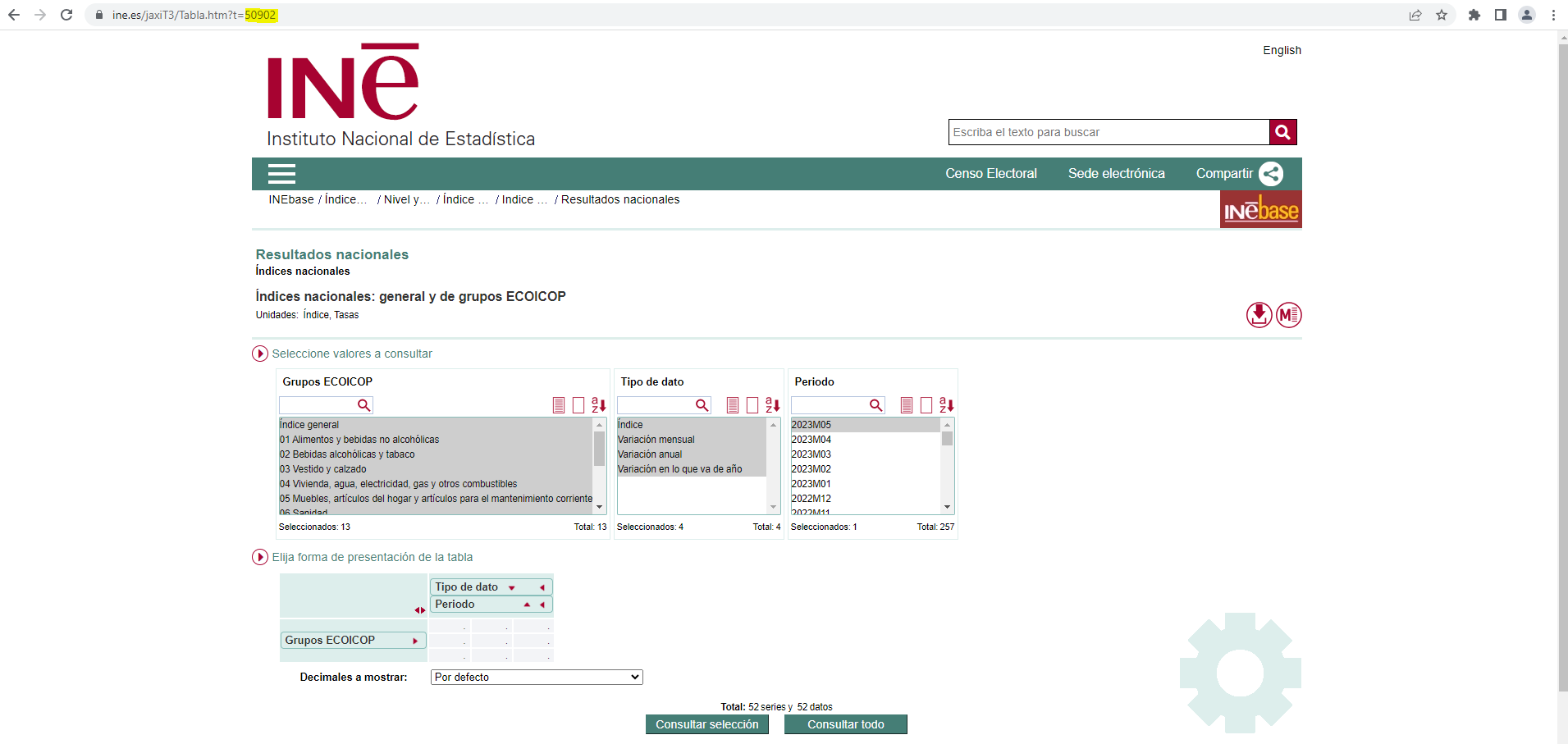
Identification code of a Tempus table
library(ineapir)
# Request table data with id = 76125
table <- get_data_table(idTable = 76125, nlast = 1, unnest = TRUE)
table[1:2,c("Nombre", "FK_Periodo", "Anyo", "Valor")]
#>                                          Nombre FK_Periodo Anyo Valor
#> 2 Nacional. Índice general. Variación mensual.           6 2026   0.6
#> 3   Nacional. Índice general. Variación anual.           6 2026   3.2
Case two (pc-axis file)
- URL: https://www.ine.es/jaxi/Tabla.htm?path=/t20/e245/p08/l0/&file=01001.px
- ID: concatenate URL parameters path and file into one single ID t20/e245/p08/l0/01001.px
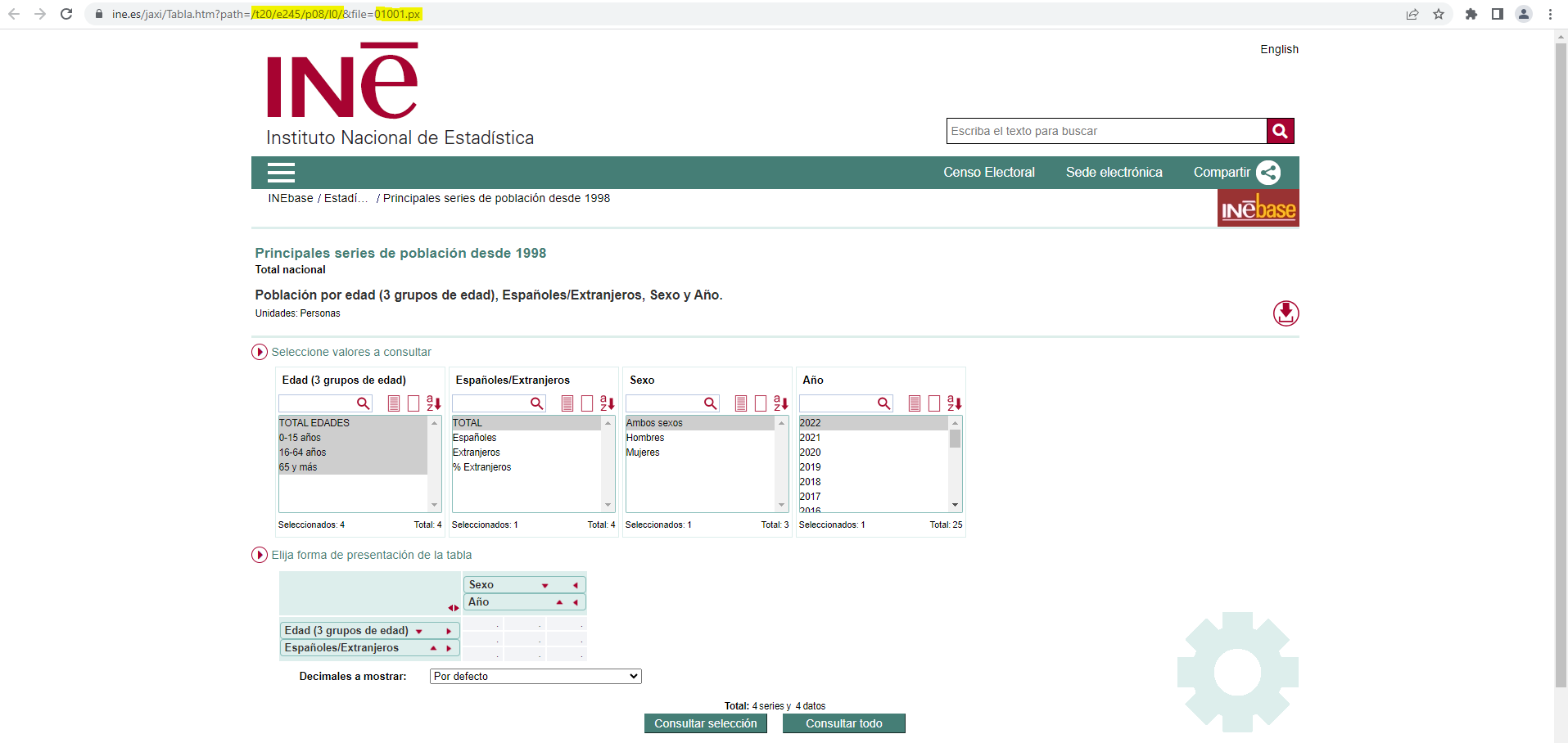
Identification code of a px table
# Request table data with id = t20/e245/p08/l0/01001.px
table <- get_data_table(idTable = "t20/e245/p08/l0/01001.px", nlast = 1, unnest = TRUE)
#> An error occurred calling the API (status 404).
#> https://servicios.ine.es/wstempus/js/ES/DATOS_TABLA/t20/e245/p08/l0/01001.px?nult=1&det=0&ver=3
head(table, 3)
#> NULL
Case three (tpx file)
- URL: https://www.ine.es/jaxi/Tabla.htm?tpx=33387&L=0
- ID: URL tpx parameter 33387
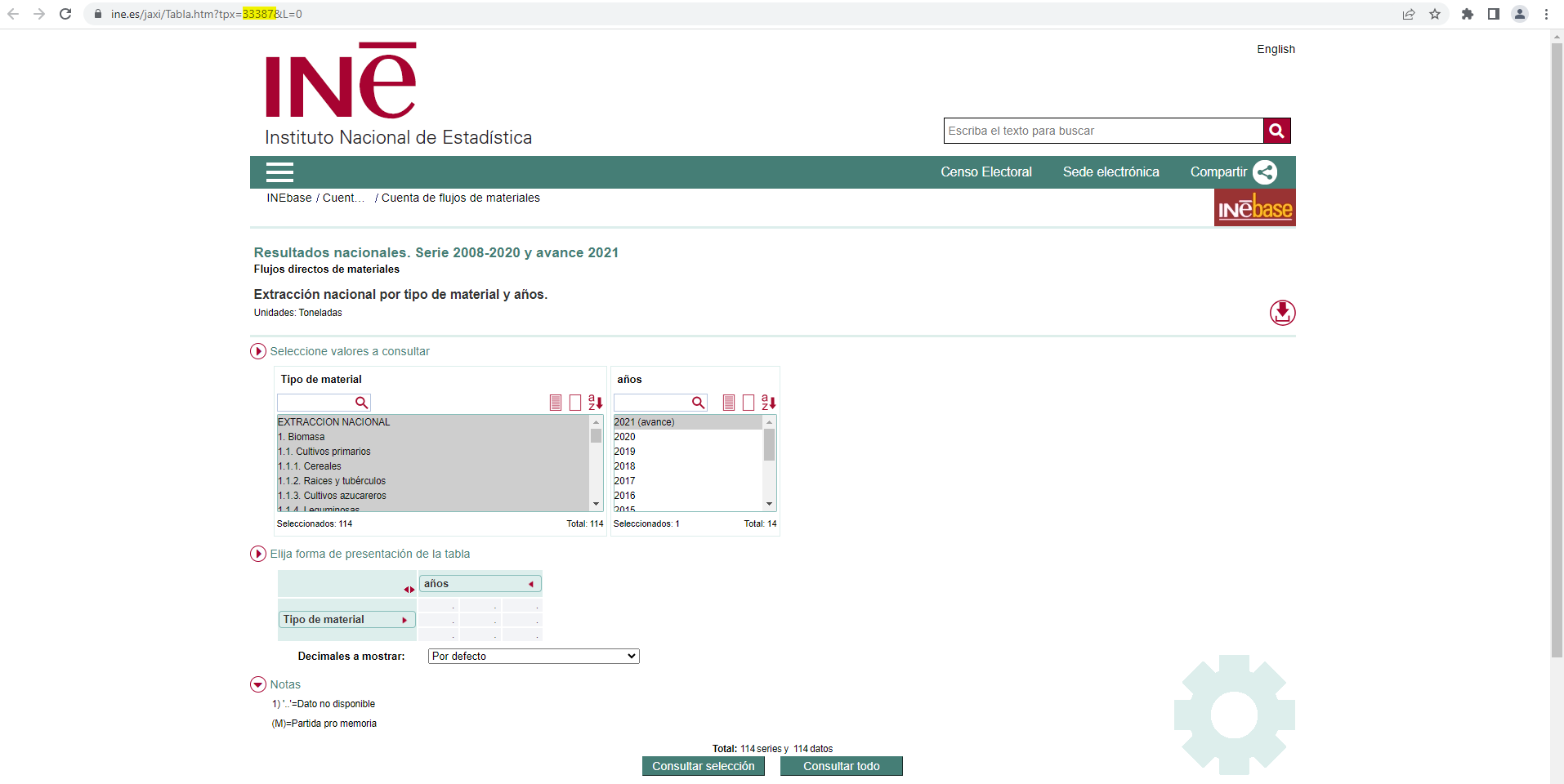
Identification code of a tpx table
# Request table data with id = 33387
table <- get_data_table(idTable = 33387, nlast = 1, unnest = TRUE)
head(table, 3)
#>                     Nombre NombrePeriodo     Valor Secreto
#> 1      EXTRACCION NACIONAL 2024 (avance) 371995244   FALSE
#> 2              1.  Biomasa 2024 (avance) 126108212   FALSE
#> 3 1.1.  Cultivos primarios 2024 (avance)  67456391   FALSE
Obtaining the identification code of a series
The tables introduced in cases two and three not include temporal series. Only tables from case one contain temporal series. In order to obtain the identification code of a series it is necessary to carry out a number of steps.
- Browse to a table containing the series of interest.
- Make the selection of values in the table and perform the query.
- Click on the corresponding value cell.
- The pop-up window shows, among other information, the identification code of the series associated with the cell that was clicked on.
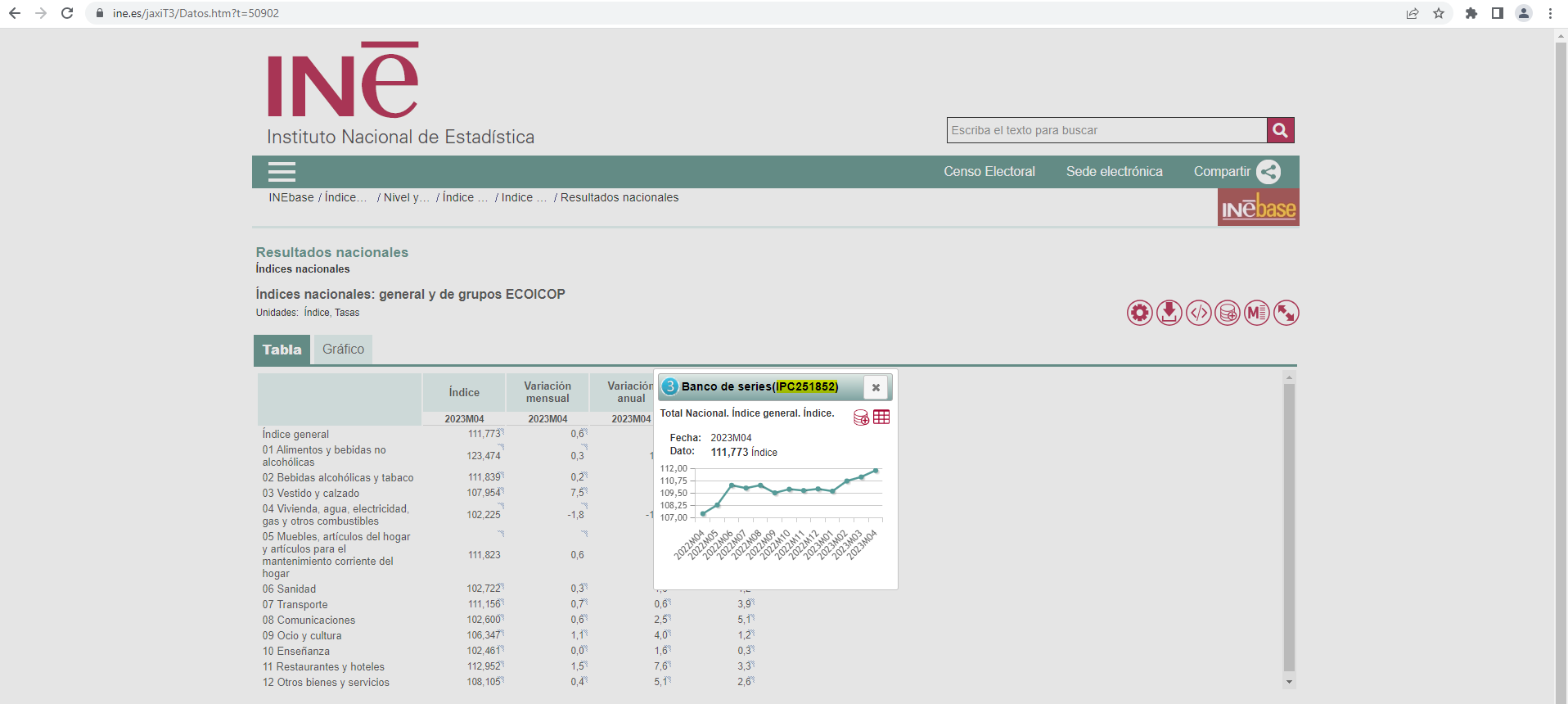
Identification code of a Tempus series
# Request series data with code = IPC290750
serie <- get_data_series(codSeries = "IPC290750", unnest = TRUE)
serie[1,c("Nombre", "FK_Periodo", "Anyo", "Valor")]
#>                                        Nombre FK_Periodo Anyo Valor
#> 1 Nacional. Índice general. Variación anual.           6 2026   3.2